Get Started















CLI to Install a GitHub Release.
Easily Install GitHub Release binaries on Windows, Linux and macOS.
Interactively select the release version, asset, and executable name with automatically detected presets.
brew install cssnr/tap/install-release
curl 'https://raw.githubusercontent.com/smashedr/install-release/master/scripts/install.sh' | bash # (1)!
- Alternatively, you can manually download a release.
iex (iwr -useb 'https://raw.githubusercontent.com/smashedr/install-release/master/scripts/install.ps1').Content # (1)!
- Windows users can download the Windows Installer.
go install github.com/smashedr/install-release@latest # (1)!
- Requires Go: https://go.dev/doc/install
docker run --rm -itv ~/bin:/out ghcr.io/smashedr/ir:latest -b /out smashedr/install-release # (1)!
- Note: Docker requires you to mount the target bin directory.
Windows users can download the Windows Installer.
Alternatively, you can manually download a release.
If you run into any issues or have any questions, support is available.
Demo
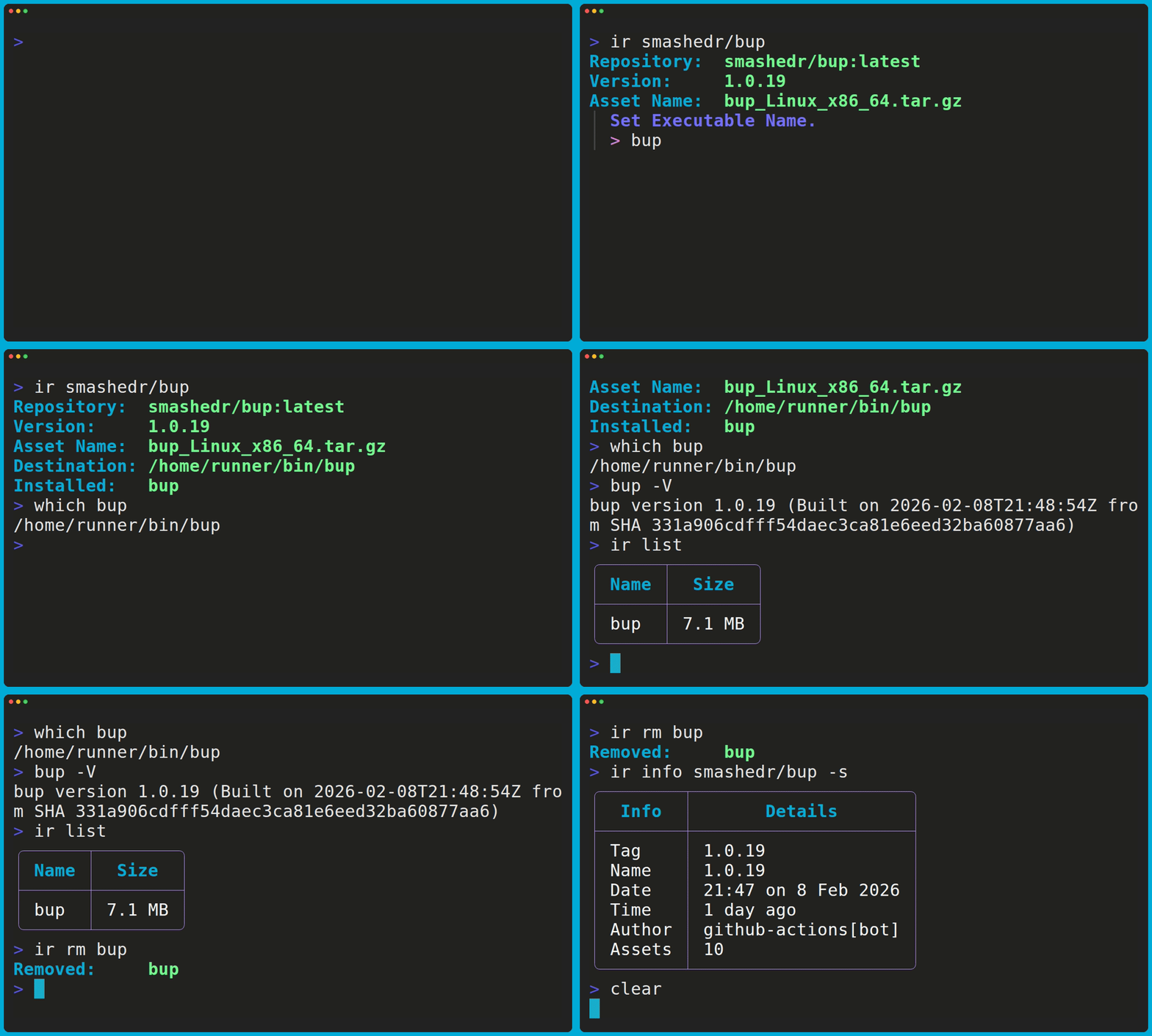
This demo was generated with charmbracelet/vhs.
Features
- Supports Windows, Linux and macOS
- Interactively Select Options
- Set Options w/ Flags or Variables
- Save or Set a Custom
binPath - List and Remove Installed Apps
- Get App Information
Install
brew install cssnr/tap/install-release
curl 'https://raw.githubusercontent.com/smashedr/install-release/master/scripts/install.sh' | bash # (1)!
- Alternatively, you can manually download a release.
iex (iwr -useb 'https://raw.githubusercontent.com/smashedr/install-release/master/scripts/install.ps1').Content # (1)!
- Windows users can download the Windows Installer.
go install github.com/smashedr/install-release@latest # (1)!
- Requires Go: https://go.dev/doc/install
docker run --rm -itv ~/bin:/out ghcr.io/smashedr/ir:latest -b /out smashedr/install-release # (1)!
- Note: Docker requires you to mount the target bin directory.
Windows users can download the Windows Installer.
Alternatively, you can manually download a release.


Usage
Install the latest release.
ir owner/repo
Include the latest pre-releases.
ir owner/repo --pre
Install a specific version/tag.
ir owner/repo v1.0.0
Specify repo in any format:
ir owner[/ ]repo
ir owner[/ ]repo[@:/ ]tag
ir github.com/owner[/ ]repo[@:/ ]tag
ir https://github.com/owner[/ ]repo[@:/ ]tag
View Examples
ir smashedr bup
ir smashedr/bup
ir smashedr bup latest
ir smashedr/bup latest
ir smashedr/bup/latest
ir smashedr/bup:latest
ir smashedr/bup@latest
ir github.com/smashedr/bup
ir github.com/smashedr/bup/latest
ir https://github.com/smashedr/bup
ir https://github.com/smashedr/bup@latest
Skip the asset and name prompts.
ir owner/repo -y
Set the asset and name inline.
ir owner/repo -n name -a asset_name.zip
Install to a different bin directory.
ir owner/repo -b /usr/local/bin
Get package information.
ir info owner/repo
List installed apps.
ir list
Remove an app.
ir remove
Remove an app by name.
ir remove name
Edit the settings.
ir config
Question
If you need help getting started or run into any issues, support is available!